A casino login page that looks genuine can still lead to a copycat site designed to capture credentials. The full set of security measures behind protecting a casino login covers everything from passphrase strength through to device hygiene, and the ability to spot a phishing page is the first line in that framework.
Recognising the signals before credentials are entered is more practical than recovering an account after they have been captured.
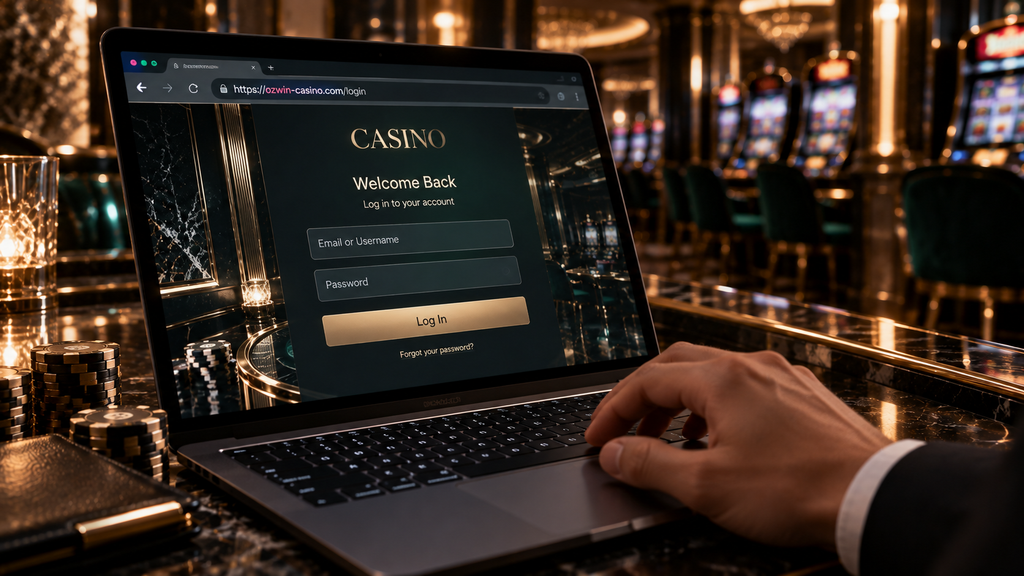
Verify the domain before typing anything
A phishing page copies the design of a legitimate site but uses a slightly different address. Common variations include added words, substituted letters, different endings or extra hyphens.
The address should be read carefully from right to left before the page is used. A padlock icon confirms the connection is encrypted, but it confirms only the certificate owner, and the site address itself still needs checking.
A saved bookmark to the verified official address removes the risk of mistyped or manipulated URLs. Players should open the casino from the bookmark on every visit and update it only after confirming a domain change through official communications.
Recognise the signals of a phishing message
Phishing messages can arrive by email, SMS, social media, chat or as a sponsored search result. Several signals help identify them:
| Signal | What to look for |
| Sender address | Domain differs from the verified casino address |
| Urgency language | Pressure to act immediately or lose an offer |
| Link destination | URL preview differs from the text shown |
| Attachment | Unexpected file asking for a download |
| Request for credentials | Any message asking for a password or code |
A legitimate casino will send account notifications through channels already set up on the account. Support messages asking for a full password, authentication code or card security number through chat or email are a consistent signal of a phishing attempt.

Use a unique passphrase for the casino account
A passphrase built from four or more unrelated words is harder to guess than a short password with substituted characters. The Australian Cyber Security Centre recommends this approach for consumer accounts. A phrase like “cloud-river-desk-forty” runs to 22 characters and produces a credential that is both long and memorable without using personal information. Passphrases of 14 characters or more sit well outside the range that common brute-force tools can cover quickly.
The casino passphrase should be different from the one used for email, banking or any other service. A password manager can generate a long random credential and store it securely, removing the need to remember or type it manually.
A passphrase that has been used on another site carries the risk of exposure if that other site is ever breached. A unique credential for each account keeps a compromise in one place from spreading to others.
Enable multi-factor authentication
MFA adds a second confirmation step after the correct password is entered. An authenticator app generating time-based codes is a stronger option than SMS codes, which can be intercepted through SIM-swap attacks. Google Authenticator, Microsoft Authenticator and Authy are widely used options available on both iOS and Android. Authy also supports multi-device backup, which can simplify recovery if a phone is replaced.
Backup codes should be stored offline and separately from the device that generates the regular codes. Approving an MFA prompt that the player did not initiate is a signal to change credentials immediately and review recent account activity.
Protect the linked email account
The email address linked to the casino controls password resets and security notifications. It should use its own unique passphrase and have MFA enabled independently.
A verification email that arrives without any action from the player is a signal to open the verified casino site directly and check account security settings. The link inside the email should not be used.
Old or temporary email addresses can make account recovery harder. The linked address should be current and regularly monitored.
Check device security
A device running outdated software may carry known security gaps that have since been addressed in updates. Operating system, browser and application updates should be applied regularly.
Extensions added to a browser can read page content. Removing unused extensions, particularly download helpers and coupon tools, reduces the number of programs with access to login pages. Password managers are the exception: a reputable standalone manager such as Bitwarden or 1Password is designed specifically to handle credentials securely and provides an additional domain-matching check that flags lookalike pages automatically.
The casino application, if used, should come from the operator’s verified download page or an official app store listing. Installation files from third-party sources or shared links carry higher risk.
Use trusted connections for account actions
Public Wi-Fi networks in cafés, airports or hotels carry more exposure for sensitive account actions. Deposits, withdrawals and account setting changes are better completed on a trusted home network or mobile data connection.
A VPN can add privacy on some networks, but it should be used with awareness of the casino’s location rules. An account registered in Australia should be accessed from the same jurisdiction to keep activity consistent with the account setup.
Know the red flags during a support interaction
A legitimate support team will ask for the account email address, a transaction reference or an account identifier. The following are consistent signals of a phishing or scam attempt:
- A request for the full current password;
- A request for a one-time authentication code;
- A request for the full card number or security code;
- An offer to take remote control of the device;
- A demand to pay a fee to release a withdrawal.
These requests should be declined and reported through the verified support channel.
Review account activity regularly
The account transaction history and active-session list, where available, show recent logins and actions. Reviewing these periodically gives the player a clear picture of normal account activity.
An unfamiliar session location or a recent change the player did not make is a signal to change the passphrase and MFA settings promptly and contact support through the verified channel.

Build the habits before they are needed
Phishing and credential protection habits are most effective when they are part of every session from the start. Australian players who use a saved bookmark, a unique passphrase, MFA on both the casino and email, and a trusted connection on every visit keep their account in a consistently secure state without adding significant time to each session.